WhatsApp Automation for Indian SMEs: Complete 2026 Setup Guide
India runs on WhatsApp. With well over 500 million users, it is where your customers already are — asking for prices, sending photos, confirming orders, and expecting a reply within minutes. For a small or medium business, answering all of that by hand simply does not scale. The good news: in 2026, setting up WhatsApp automation is more accessible than ever, and you do not need a large engineering team to do it.
This guide walks you through what WhatsApp automation actually is, how to choose the right setup for your business size, and a practical step-by-step plan to get your first automations live — lead qualification, booking confirmations, and customer follow-ups.
What "WhatsApp automation" really means
WhatsApp automation is using software to handle routine conversations on WhatsApp automatically — without a person typing every reply. In practice, that covers a spectrum:
- Auto-replies and menus — instant answers to common questions (hours, pricing, location) the moment someone messages you.
- Lead qualification — asking a few smart questions to figure out what a prospect needs before a human steps in.
- Notifications — order confirmations, payment reminders, appointment alerts, and delivery updates sent automatically.
- AI assistants — a layer that understands free-form questions and responds in natural language, escalating to your team only when needed.
The goal is not to remove the human touch. It is to remove the repetitive 80% so your team spends time only where it matters.
WhatsApp Business App vs. WhatsApp Business API
This is the single most important decision, and it usually comes down to your message volume and how much you want to automate.
WhatsApp Business App is the free app you download on a phone. It is great for very small businesses: you get a catalog, quick replies, labels, and basic away messages. But it runs on one device, has no real automation engine, and cannot connect to your other systems. If you are sending a handful of messages a day and doing everything manually, this is your starting point.
WhatsApp Business API (often accessed through a provider) is what real automation is built on. It has no chat screen of its own — instead it connects to software that can send and receive messages programmatically, run chatbots, fire automated notifications, and plug into your CRM, website, or dashboard. This is the right path for any business that wants lead qualification, bulk notifications, or a chatbot. You access it through a Business Solution Provider (BSP) or a platform, and it does involve a verification step with Meta.
For most growing Indian SMEs, the API route is the one that pays off — but only once you have more volume than a single person can comfortably handle.
Step-by-step: getting your first automation live
Step 1 — Define the one workflow that hurts most
Do not try to automate everything at once. Pick the single most painful repetitive task. For most Indian SMEs it is one of these:
- Answering the same pricing or availability questions all day
- Qualifying leads that come in from ads or your website
- Confirming bookings or appointments
- Chasing customers for follow-ups or payments
Start there. One workflow done well beats ten half-built ones.
Step 2 — Get a WhatsApp Business API number
Choose a provider or platform and apply for API access. You will need a phone number that is not already active on the regular WhatsApp app, your business details, and a verified Facebook Business Manager account. The provider guides you through Meta's verification. Plan for a few days, as the approval is not always instant.
Step 3 — Set up your message templates
For any message your business sends first (notifications, reminders, confirmations), Meta requires pre-approved templates. Write clear, useful templates for your core notifications — an order confirmation, a booking reminder, a payment follow-up — and submit them for approval early, since they take time to clear.
Step 4 — Build your first flow
Map out the conversation before you build it. For lead qualification, that might be: greet the customer, ask what they are looking for, capture budget or location, then either share relevant info or hand the chat to a human. Keep it short — three to four questions is usually enough. Most platforms let you build this visually without code.
Step 5 — Connect it to where your work actually lives
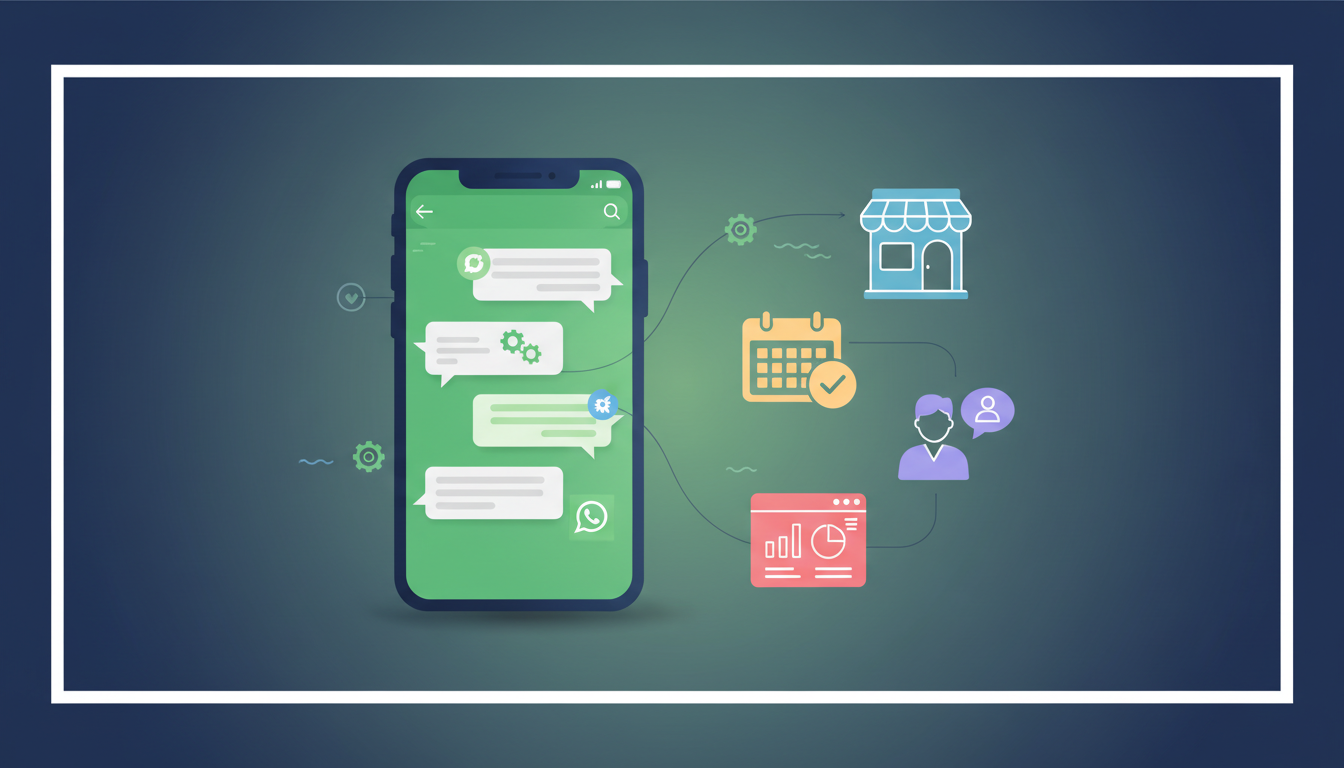
Automation is most powerful when it does not stay trapped inside WhatsApp. Connect the flow so a qualified lead lands in your CRM or a dashboard, a booking writes to your calendar, and your team gets alerted. This is where a no-code tool or a custom integration turns WhatsApp from a chat app into an operations engine.
Step 6 — Test, launch small, then expand
Run the flow yourself end to end. Message it like a real customer would, including the awkward "wrong" answers. Launch it to a small slice of traffic first, watch where people get stuck or drop off, and refine. Once one workflow is reliable, add the next.
Real-world workflows that work in India
- Real estate — qualify property leads automatically (budget, location, intent), share matching listings, and book site visits, handing only hot leads to the sales team.
- Clinics and salons — let customers book and reschedule appointments on WhatsApp, with automatic reminders that cut no-shows.
- Retail and e-commerce — send order and delivery updates, answer "where is my order" instantly, and recover abandoned carts.
- Service businesses — collect inquiry details, send quotes, and follow up on pending payments without manual chasing.
Common mistakes to avoid
- Over-automating — if every reply feels robotic, customers disengage. Always offer an easy way to reach a human.
- Ignoring template rules — sending non-template messages outside the allowed window, or spammy broadcasts, risks getting your number flagged.
- Building before mapping — sketch the conversation on paper first. Building blind leads to messy, dead-end flows.
- Setting and forgetting — automation needs tuning. Review where customers drop off every couple of weeks.
How to get started
If you have the time and a technical bent, you can stitch this together yourself with a provider and a no-code tool. If you would rather have it built right the first time — templates approved, flows mapped to your actual sales process, and everything wired into a dashboard your team will actually use — that is exactly the kind of WhatsApp-first automation we set up for businesses across India.
Start with one workflow, get it working reliably, and let the results make the case for the next one. That is how WhatsApp automation goes from a nice idea to a genuine operational advantage.